
Building a nested segment
When you create a new segment, Flexmail asks whether you want to start fresh or build on top of an existing segment. Choosing to build on an existing segment creates a nested segment: a child segment that inherits all the conditions of its parent and adds new ones.
Nesting is optional, but it becomes very useful as your segment library grows. It keeps your structure clean, avoids repeating conditions, and makes the relationship between target groups visible.
Before you begin
- You need at least one existing segment to use as a parent before you can create a nested segment.
- Each segment at every level of nesting can hold up to five conditions of its own.
- Nesting is supported up to five levels deep.
- Deleting a parent segment also removes the nesting relationship for all its child segments.
New segment vs. nested segment
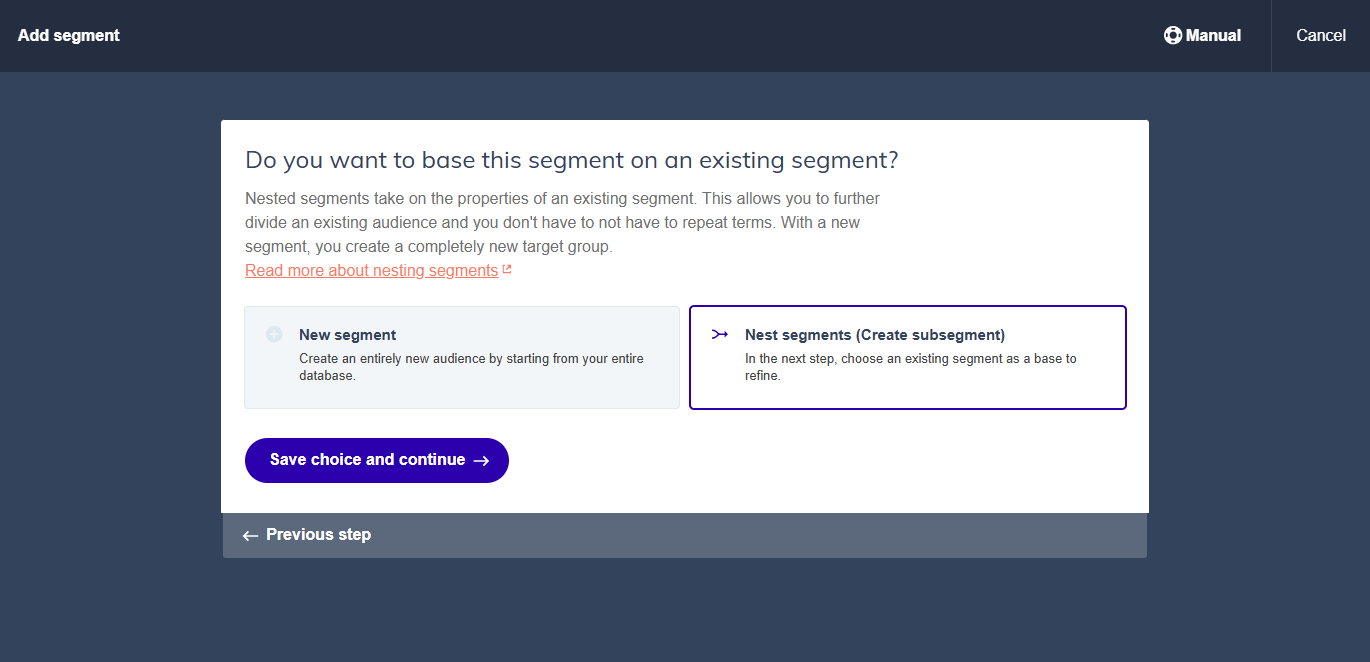
Nested segments take over the features of an existing segment. This allows you to split an existing target group without having to repeat the conditions. With a new segment, you make an entirely new target group.
| New segment | Nested segment |
|---|---|
| Starts from your entire contact database | Starts from the contacts already in an existing segment |
| You define all conditions yourself | Inherits all conditions from the parent segment |
| Creates a completely independent target group | Creates a sub-group within an existing target group |
Why use nested segments?
Avoid repeating conditions
If you have a "Customers NL" segment and want to split it into product groups, you do not need to add the Dutch language condition to each product group segment. By nesting under "Customers NL", they automatically inherit it.
Make the structure visible
Nested segments show the relationship between target groups clearly, both to you and to your colleagues. You can see at a glance that "Customers NL, Product group A" is a subset of "Customers NL".
Send to different levels of specificity
With a nested structure in place, you can choose per campaign whether to send to the broad parent segment or to a specific sub-segment. The same contact database serves multiple use cases without duplicating any setup.
How to build a nested segment
- Go to Contacts, then Segments.
- Click Add segment
- Give the segment a clear name that reflects both the parent and the sub-group, for example "Customers NL, Product group A".
- When prompted, choose "Nest segments (Create subsegment)" and select the parent segment.
- Add the additional conditions that will narrow the parent selection.
- Click Save.
A practical example
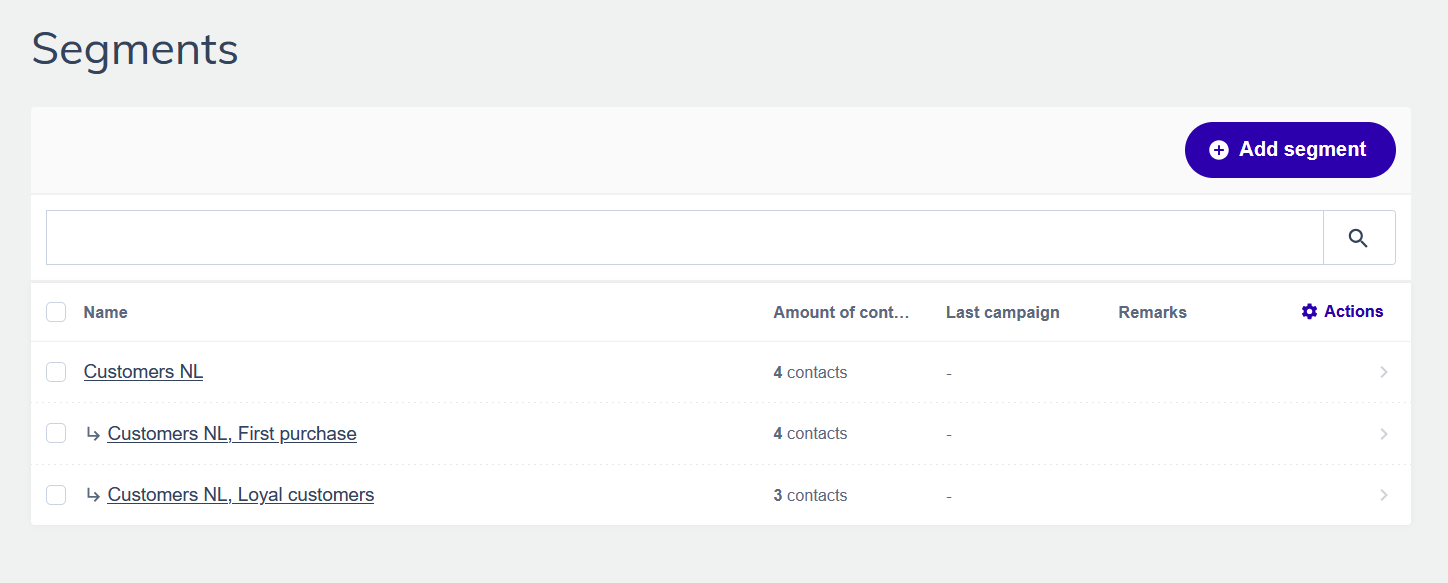
A toy shop starts with a broad customer segment:
- Customers NL: condition: language equals "Dutch" AND contact type equals "Customer"
Under this parent, they create nested segments for specific use cases:
- Customers NL, First purchase: condition: custom field "Total orders" equals 0
- Customers NL, Loyal customers: condition: custom field "Total orders" is greater than 5
Each of these inherits the Dutch language and customer type conditions automatically. New conditions are added only for what makes each sub-group unique.
Support tip Always go from broad to specific when building a nested structure. Start with the largest common denominator, often language or contact type, and work your way down to more specific criteria. This keeps your structure logical and easy to maintain.
Nesting limits
Flexmail allows nesting up to five levels deep. Each segment, at every level, can include up to five conditions of its own. In practice, most setups work well within two or three levels.
Common mistakes to avoid
Building the child before the parent is stable
If you nest a segment under a parent that you later change significantly, the child inherits the new conditions, which may not be what you intended. Get your parent segments right first before building child segments under them.
Naming child segments without reference to the parent
A child segment named "First purchase" means nothing without knowing its parent. Always include the parent context in the child segment name, such as "Customers NL, First purchase". This is especially important in shared accounts where colleagues may not know the structure.
Deleting a parent segment when children still exist
Deleting a parent segment will also remove all of its children. Before deleting a parent, check whether any child segments need to be retained. If so, verify if you can rebuild the segment one level up with all the necessary conditions.
Going too deep when two levels would do
Nesting five levels deep is possible but creates complexity that is hard to maintain. Most use cases are well served by two or three levels. If you find yourself going deeper, consider whether a flat segment with more conditions or a different structure would be clearer.