
Social media in messages
You can add social media icon buttons to your emails that link to your company profiles on Facebook, Instagram, LinkedIn, X (Twitter), YouTube, and other platforms. To avoid entering the same URLs every time you build a message, save your social media links once in your account settings, they'll be picked up automatically whenever you add a social media element.
Save your social media URLs
-
Go to Settings, then Social Media.
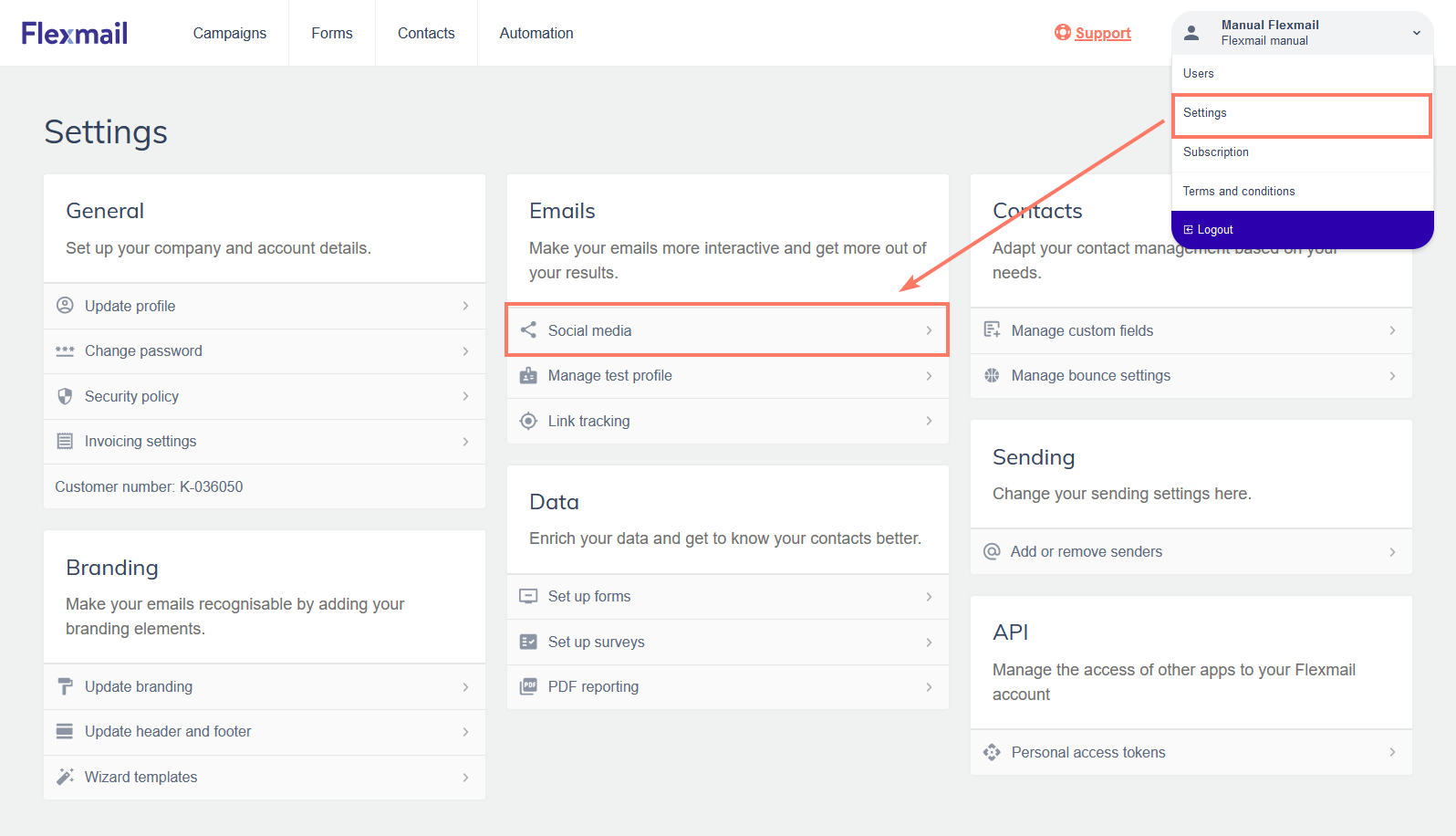
-
Enter the URLs for each platform you want to include.
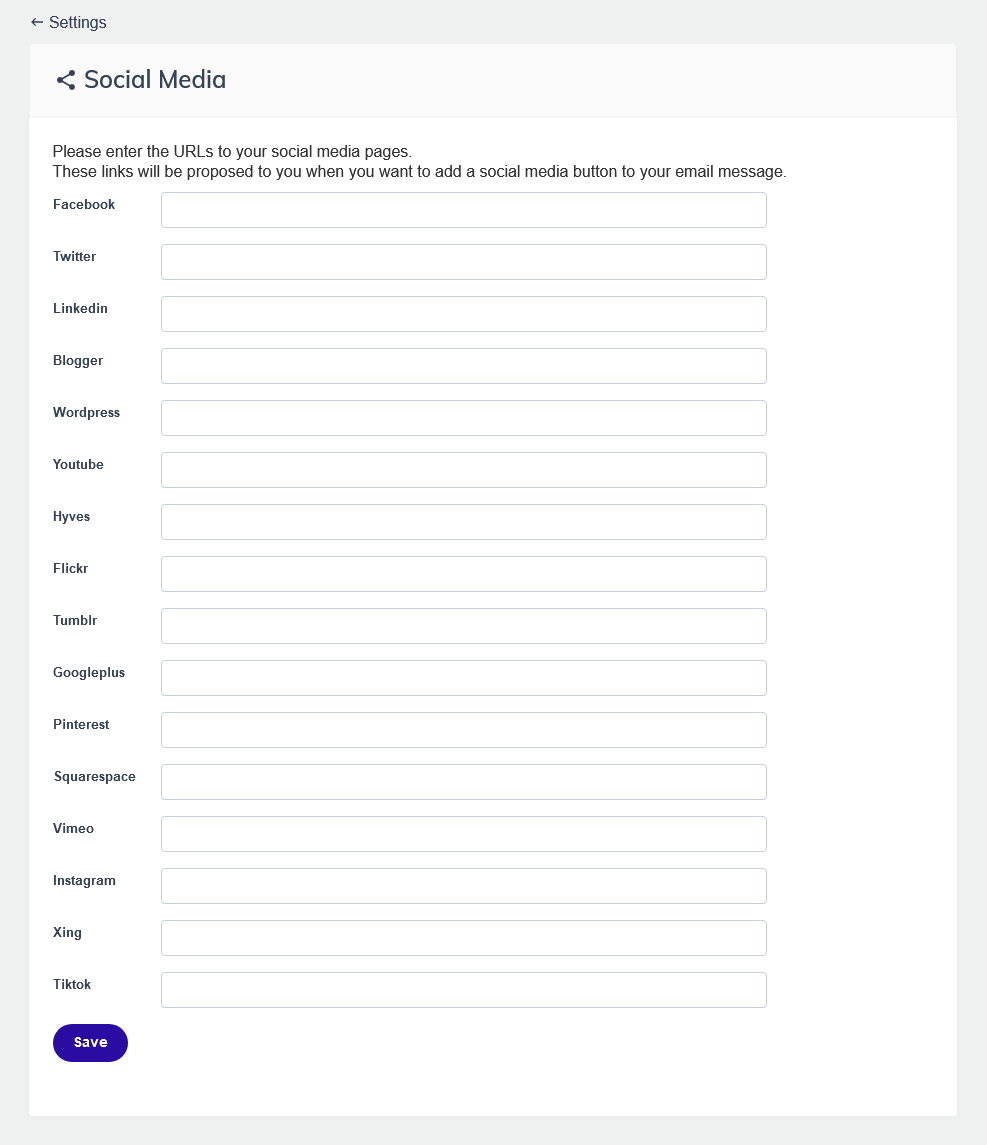
- Click Save.
Add social media icons to a message
Email builder
Drag the Social media element from the Elements panel onto your canvas. The icons for the platforms you've configured in Settings appear automatically with their saved links. In the element settings, you can choose which platforms to show, in what order, and adjust icon size and alignment.

Wizard Template
Social media buttons are included in Wizard templates that contain a social media section. Click the social media section to edit which platforms appear and their display order.
Pro tips
- Only show platforms where you have an active presence. Including an icon for a platform you don't actively use sends contacts to a dormant or sparse profile, which reflects poorly on your brand.
- Keep your social media URLs up to date in Settings. If you change a profile URL on any platform, update it in Settings so all future messages automatically use the correct link.
Common mistakes to avoid
- Adding social media icons but forgetting to save your URLs in Settings. Icons will appear but their links will be empty or incorrect.
- Including icons for platforms you don't post on regularly. A LinkedIn profile with three posts from two years ago is not an asset in your email footer.
Next steps
- See "Add a link" for how to link other elements (text, images, buttons) in your message.
- See "Email header and footer" for managing other standard footer elements like the unsubscribe link and browser view link.